
Installed Creations tab
Your inventory of Bethesda Creations, in two display modes, with update and achievement checks.
What you see
The tab lists every creation the game considers installed, pulled from
ContentCatalog.txt. Read order reflects the current Plugins.txt.
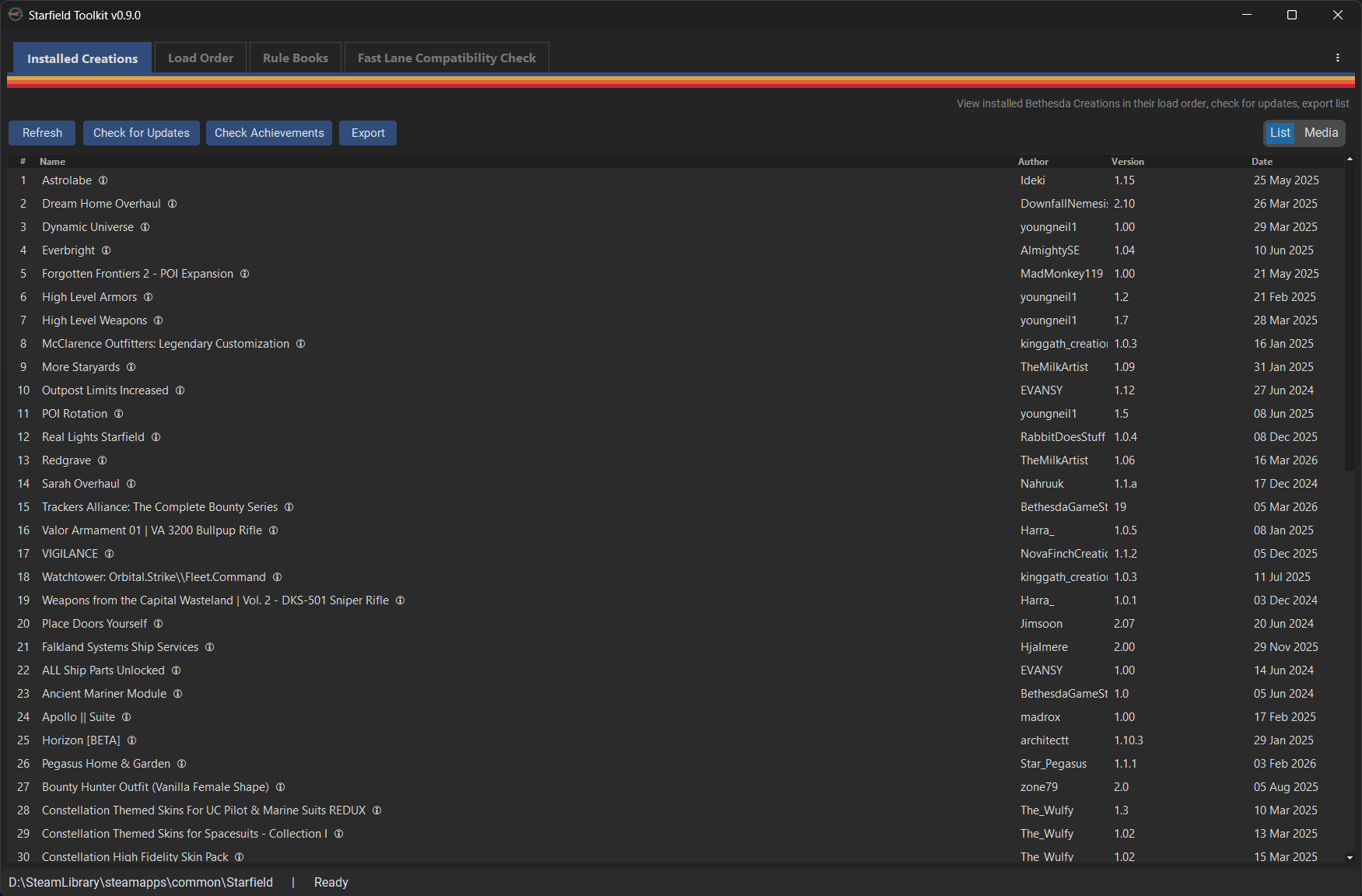
Display modes
Use the mode toggle at the top of the tab to switch between:
- Text list. Dense table with Name, Author, Version, and flags. Good for quickly scanning a large library.
- Rich media. Tile grid with thumbnails, author, description excerpt, and achievement icon. Good for browsing and recognising creations visually.
The mode preference is remembered between sessions.

Controls
| Button | What it does |
|---|---|
| Check for Updates | Queries the Bethesda Creations API for each installed creation's latest version, highlights any that are outdated. |
| Check Achievements | Flags any creations that disable Steam achievements (per Bethesda's achievement friendly flag). |
| Export | Saves the current list to CSV or Markdown. Used as input to Fast Lane Check. |
| Clear Cache | Wipes locally cached API responses. Useful if you suspect a stale cached price or version. |
| Details… | Opens the Creation details dialog with full metadata. |
Note
Update checks are rate-limited and cached. See API caching for how long each field is trusted.


Creation details dialog
Clicking a creation (or Details…) opens a modal with everything the tool knows: title, author, full description, version, price, download size, categories, achievement flag, first-seen and last-updated dates, and a thumbnail. All of it comes from the local cache — nothing is re-fetched on open.
See the Dialogs reference for the full field list.
Internal references
- Feature 001 — tabbed shell & installed creations list
- Feature 002 — API response caching
- Feature 004 — grid modes & details dialog